Keep the focus.
Remove the background from your existing product photo, right on your device.
A NEW ANGLE ON PRODUCT PHOTOGRAPHY
From the photo in your camera roll to the next image in your shop. A little less setup. A lot more you.
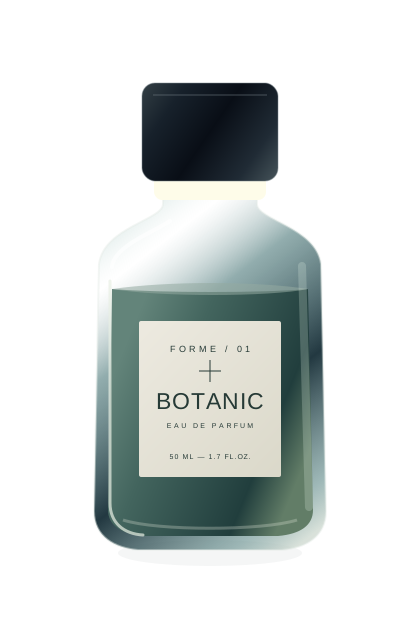
↳ Illustrative product. Actual photo editing happens in the mobile app.
01 / THE POCKET STUDIO
A workspace that makes room for your product, your palette and your point of view.
ONE ILLUSTRATIVE PRODUCT / THREE COMPOSITIONS
Remove the background from your existing product photo, right on your device.
Choose a solid color or bring your own background image. Adjust placement, size and shadow.
Square, portrait or landscape. Export a PNG, keep it in your library and share it when you’re ready.
02 / FROM CAMERA TO CATALOG
Take a photo or choose one you already have. Start with a sharp image and good light.
Remove the background. Choose a color or your own image, then adjust the product and shadow.
Choose 1:1, 4:5 or 16:9. Export your PNG and share it from your local photo library.
03 / ROOM TO CREATE
Try two photo exports, each unlocked with a rewarded ad. Continue with a monthly subscription. Active subscribers see no ads.
For a steady stream of new products.
For collections that keep moving.
For a busy catalog and more variations.
Prices and available plans will be shown in your store’s local currency in the app. Subscriptions renew monthly unless canceled. Paid exports require internet verification.
THE FINER DETAILS
SnapMerch edits your existing product photo. It removes backgrounds on your device and lets you use solid colors or background images you supply. It does not generate scenes from text.
The interactive preview uses an illustrative product to show composition choices. Your own photos are edited in the mobile app.
Export PNG images in 1:1, 4:5 or 16:9. Processing is capped at 4096 pixels on the longest edge. Output detail depends on the original image; lost detail is not recreated.
The iOS app requires iOS 17 or later. Android requires Android 7.0 (API 24) or later and compatible Google Play services. The initial Android model download may require internet.
Each of the two trial exports is unlocked by watching a rewarded ad, per installation. A subscription is required after those exports. Monthly options include 100, 250 or unlimited exports. Active subscribers see no ads.
SNAPMERCH / IN DEVELOPMENT
A new perspective is coming to iOS and Android.
Not yet released in the stores. Download links will open after launch.